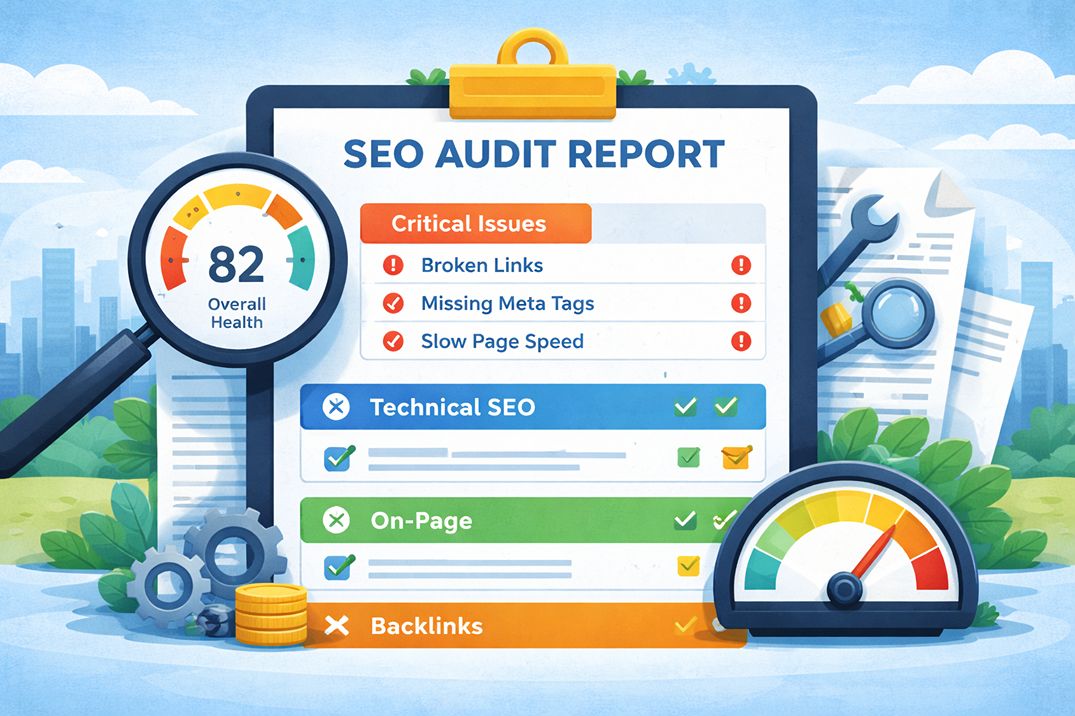
An SEO audit report lands in your inbox and suddenly you are staring at a document full of red flags, scores out of 100, and terms like "crawl budget," "canonical errors," and "toxic backlinks." Most business owners either ignore the whole thing or try to fix every item on the list without knowing which ones actually matter.
Neither approach works. This guide explains what each section means, how to tell a critical issue from a low-priority warning, and how to turn the findings into a clear action plan.
What the Report Is Actually Measuring
Before reading a single line of the report, it helps to understand what an SEO audit is designed to answer. At its core, it is asking three questions about your website:
- Can Google find and access your pages?
- Does what is on those pages match what your target audience is searching for?
- Does the wider web signal that your site is trustworthy and authoritative?
Every section of the report maps back to one of these three questions. When you read a finding, ask yourself which question it relates to. That tells you how seriously to take it.
One important note before going further: an audit score is created by the platform running the checks. It is not a Google ranking score, and every flagged item does not carry the same weight. A useful review considers the affected pages, search traffic, business value, and whether the finding is preventing crawling, indexing, or use of the page.
The Executive Summary: Start Here, Not at Page One
Most audit reports open with a summary section showing an overall health score, a traffic snapshot, and a short list of the most critical findings. This is the right place to start reading.
The overall score, whether it is expressed as a number out of 100 or a letter grade, is a relative indicator rather than an absolute judgment. A score of 70 in a competitive niche might reflect a well-optimized site. A score of 85 on a site with fundamental content problems means very little.
What matters in the summary section:
- The number of critical errors, not the total issue count
- Any issues flagged as blocking crawling or indexing
- Organic traffic trend over the past 6 to 12 months
- Whether a Google manual action or penalty is mentioned
A manual action means Google has applied a human-reviewed penalty to your site. This is the highest severity finding in any audit and needs to be addressed before anything else.
Can You Trust an SEO Audit Tool Score?
An SEO audit tool score is useful for tracking changes within the same platform, but it should not be treated as a direct measure of rankings. Each platform checks a different set of issues and gives those checks its own weighting.
A score can rise after minor warnings are cleared while a serious indexing problem remains. It can also stay low because of items that have little effect on an important page. Read the issue details before using the number to judge the condition of the site.
Use the score as a progress marker. Use search data, affected URLs, and business impact to decide what gets fixed first.
Section 1: Technical SEO and Crawlability
This section answers the first question: can Google find and access your pages?
The technical section is where most business owners' eyes glaze over. The terminology is dense. But the underlying concepts are simpler than they appear.
Crawl errors
When Googlebot visits a URL on your site and cannot access it, that is a crawl error. The most common types are 4xx errors, meaning the page does not exist, and 5xx errors, meaning the server failed to respond.
A 404 on a page you have intentionally removed is not a problem. A 404 on a page you want ranked is a serious issue that needs fixing immediately. The report should list the specific URLs affected so you can check them directly.
Indexing status
Indexing tells you which pages Google has added to its database. Only indexed pages can appear in search results.
The report will show pages that are excluded from the index and the reason for each exclusion. Common reasons include a noindex tag on the page, the URL being blocked in the robots.txt file, thin or duplicate content, or the page being redirected.
Not every excluded page is a problem. Login pages, thank-you pages, and internal search result pages are often intentionally excluded. The concern is when pages you want to rank are being excluded without a deliberate reason.
Redirect issues
Redirects tell Google that a URL has moved. A direct redirect from an old URL to the most relevant new URL is normal. A chain, where URL A redirects to URL B and then to URL C, slows crawling and creates more points of failure. Remove unnecessary steps so each old address points directly to the final destination.
XML sitemap and robots.txt
An XML sitemap helps search engines find the preferred URLs on the site. The robots.txt file controls which areas crawlers may request.
Common problems include a sitemap listing redirected or broken URLs, important pages missing from the sitemap, and a robots.txt rule blocking sections that need to be crawled. Accidental blocking is common after a redesign, migration, or staging-site launch.
Section 2: On-Page SEO Findings
This section covers the elements on individual pages that help search engines and readers understand the topic. When the same problems affect many key URLs, an on-page SEO service can help plan and apply the changes across the site.
Title tags
The title tag is the headline that appears in search results. Every page should have a unique title tag that accurately describes the page content and includes the primary keyword the page is targeting.
The audit will flag missing title tags, duplicate title tags across multiple pages, and title tags that are too long or too short. Missing and duplicate title tags on important pages are medium to high priority fixes. Length warnings are generally low priority unless the title is being truncated in a way that removes the important information.
Meta descriptions
The meta description is the short paragraph that appears below your title tag in search results. It does not directly affect ranking, but it directly affects click-through rate.
A well-written meta description tells the searcher exactly what they will find on the page and gives them a reason to click. Duplicate or missing meta descriptions across important pages are worth fixing, especially on pages that already rank but are not getting the clicks their position should generate.
Heading structure
Most pages are easier to understand when they have one clear H1 that describes the main topic. H2 and H3 subheadings divide the content into sections and help readers scan the page.
A missing or unclear H1 on an important page is worth reviewing. Multiple H1 elements are not automatically a ranking problem, but they can make templates and content structure harder to manage. Skipped heading levels are usually a readability or accessibility concern rather than an urgent ranking issue.
Thin and duplicate content
Thin content refers to pages that offer very little value to visitors: pages with minimal text, auto-generated content, or pages that simply repeat what is already covered better elsewhere on your site.
Duplicate content refers to pages where the same or very similar content appears at multiple URLs. This is common on e-commerce sites with product variants, sites that have both HTTP and HTTPS versions accessible, or sites with URL parameters that generate near-identical pages.
These issues can leave low-value URLs indexed or split signals across several versions of the same page. The usual response is to improve useful pages, combine overlapping pages, set a suitable canonical URL, redirect retired pages, or keep low-value URLs out of the index when they serve no search purpose.
Section 3: Core Web Vitals and Page Speed
This section covers how fast your pages load, how stable they are visually, and how quickly they respond to user interactions. These are measured through three metrics: Largest Contentful Paint (LCP), Interaction to Next Paint (INP), and Cumulative Layout Shift (CLS).
Field data shows how real Chrome users experience a page, while lab tests such as Lighthouse help diagnose likely causes. A high lab score does not confirm that the URL passes Core Web Vitals when real visitors are still experiencing slow loading, delayed interaction, or layout movement.
If your audit shows Core Web Vitals failures, the detail on what each metric means and how to fix each one is covered in the article on Core Web Vitals in 2026, which goes through LCP, INP, and CLS with specific fixes for each.
For the purposes of reading your audit report, treat any page speed section finding marked as poor or failing as a medium to high priority item, depending on how much traffic that page receives and how competitive your market is.
Section 4: Backlink Profile
The backlink section shows who is linking to your site, the quality of those links, and how your profile compares to competitors ranking above you.
Key things to look for in this section:
Domain authority or domain rating
Domain Authority and Domain Rating are third-party metrics, not Google scores. They can help compare link profiles inside the same platform, but they should not be treated as a verdict on ranking ability. A site with a lower score can still outrank a higher-scoring competitor when its page better matches the query and provides a stronger result.
Toxic or spammy backlinks
Most sites collect low-quality or irrelevant links over time without taking any action. Third-party platforms may label some of them as toxic, but that label is not a Google metric and does not mean the links are causing harm.
Investigate further when there is evidence of deliberate link schemes, a large pattern of artificial links, or a manual action for unnatural links. Most sites do not need the disavow tool. Google recommends using it only when a considerable number of spammy or artificial links have caused, or are likely to cause, a manual action.
Competitor link gap
This section compares sites linking to competitors but not to you. Treat the list as research, not a set of links to copy. Relevant publishers, industry groups, suppliers, local organisations, and editorial mentions may be worth pursuing through outreach or a link-building service. A link gap is a starting point, not a guaranteed ranking fix.
How to Prioritize What Gets Fixed First
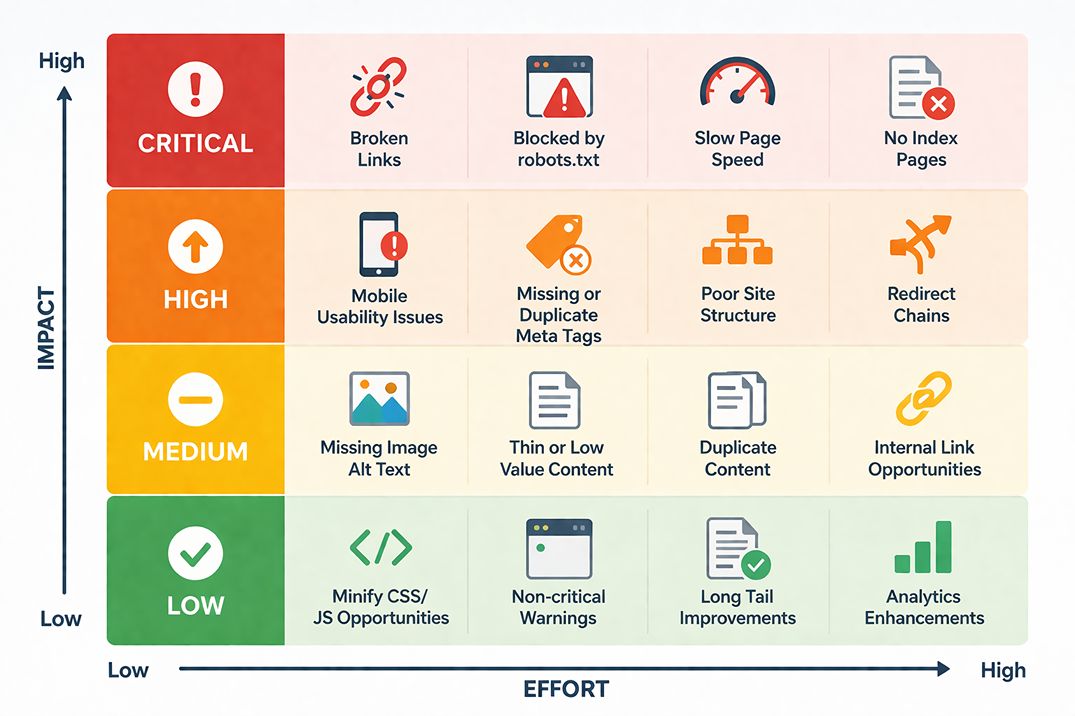
The most common mistake after receiving an audit is treating every flagged issue as equally urgent. A report listing 200 issues does not mean your site has 200 serious problems. Many flagged items are minor or reflect normal site behavior.
A practical framework for prioritizing audit findings uses three buckets:
Bucket 1: Fix immediately
These are issues actively preventing Google from crawling or indexing your site, or causing a manual penalty. They include:
- Google manual actions or penalties
- Pages you want ranked returning 404 or 5xx errors
- Noindex tags or robots.txt rules blocking important pages
- Site not accessible over HTTPS
- Important sections blocked from crawling after a migration or redesign
Bucket 2: Fix in the next 30 to 60 days
These issues affect rankings and user experience but are not causing an immediate site-level emergency. They include:
- Core Web Vitals failures on high-traffic pages
- Missing or duplicate title tags on important pages
- Redirect chains with more than two steps
- Significant duplicate content across key pages
- Mobile usability errors flagged in Google Search Console
Bucket 3: Address when time allows
These are valid issues but their impact is low. They improve your site over time but are not holding back your rankings right now. They include:
- Missing alt text on informative images used on low-traffic pages
- Meta description length warnings on low-traffic pages
- Minor heading structure inconsistencies
- Low word count flags on pages with intentionally brief content
The Numbers That Actually Matter
Audit reports are full of numbers. Many are useful only inside the platform that produced them. These are the measures worth tracking across tools:
Indexed pages vs. total pages. If Google has indexed significantly fewer pages than your site has, there is likely a crawl or content quality issue worth investigating. The gap between the two numbers is the starting point.
Core Web Vitals pass rate. Check the percentage of URLs rated good, needs improvement, or poor in Search Console. Focus first on templates and high-traffic page groups that fail the same metric, rather than treating each URL as a separate task.
Organic click trend. Compare clicks and impressions over several months, then check seasonality, ranking changes, site updates, and demand. Week-to-week movement can be misleading, so review how Google ranking fluctuations affect audit results before treating a short decline as a confirmed problem.
Pages with zero organic clicks. Pages that are indexed but receiving no organic traffic. These may be targeting keywords with no search volume, competing internally with stronger pages on your own site, or simply not ranking for anything meaningful. This list often reveals content that should be updated, merged, or removed.
Understanding how the keyword choices you made when creating those pages affect their performance connects directly to the article on long-tail keywords for local businesses, which covers how to identify what your audience is actually searching for before creating content. If those zero-click pages are ranking at positions 11 to 20 rather than not ranking at all, the article on why pages get stuck on page 2 explains the specific reasons pages plateau there and what each one requires to fix.
What to Do After Reading the Report
An audit report without an action plan is just a list of problems. The value comes from what happens next.
The most effective approach is to take the Bucket 1 and Bucket 2 items and assign each one a specific owner, a completion date, and a one-line explanation of why it matters in plain language. Technical teams are more likely to prioritize fixes when they understand the business reason, not just the SEO reason.
For example: "Fix the noindex tag on the services page" with a note that says "This page is currently invisible to Google and receiving zero organic traffic" is more likely to get actioned than a raw audit export with 200 rows in a spreadsheet.
For most small and medium sites, a full review every three to six months is enough. Run a focused check soon after a redesign, migration, template change, or large publishing update so new crawl and indexing problems can be found before they affect more pages.
Before commissioning another review, compare the scope, deliverables, and professional SEO audit cost. A low price may cover only an automated export, while a larger project should include manual checks, evidence, priorities, and an action plan.
If you want a structured audit that covers technical health, local search signals, Core Web Vitals, and on-page factors with a prioritized action plan you can follow immediately, the SEO audit service at Search Engine Hub delivers exactly that.
Frequently Asked Questions
An SEO audit report is a structured analysis of your website that identifies issues preventing Google from crawling, indexing, or ranking your pages effectively. It covers technical health, on-page content factors, backlink quality, and performance signals like Core Web Vitals. A good report does not just list problems: it prioritizes them by impact so you know what to address first.
No. Audit platforms can surface many findings, but they do not all have the same effect. Focus first on problems affecting crawling, indexing, important pages, Core Web Vitals, and site-wide templates. Low-impact warnings can be reviewed later.
A crawl error occurs when Googlebot visits a URL on your site and cannot access it, usually because the page returns a 4xx or 5xx HTTP status code. 404 means the page does not exist. 5xx means the server failed to respond. If critical pages return these errors, Google cannot index them. If the errors are on pages you no longer need, they should return a 404 or be redirected. If they are on pages you want ranked, the issue needs immediate fixing.
Indexing status tells you which of your pages Google has added to its database and which it has not. Pages not in the index cannot appear in search results. An audit report will flag pages blocked by a noindex tag, disallowed in robots.txt, or excluded because of thin content or duplicate content issues. Not every excluded page is a problem. The concern is when pages you want ranked are being excluded.
“Toxic backlink” is a label used by some third-party platforms, not a Google metric. Most sites collect some spammy or irrelevant links naturally, and Google can usually assess them without help. Review the pattern when there is evidence of deliberate link schemes or a manual action. Use the disavow tool only when a considerable number of artificial links have caused, or are likely to cause, a manual action.
Most small and medium sites can run a full audit every three to six months. Run a focused check after a redesign, migration, template change, large content release, or unexplained traffic decline. Large e-commerce sites may need more frequent technical monitoring because new products, filters, and faceted URLs can create crawl issues quickly.
A technical audit evaluates your site's infrastructure: crawlability, indexing, site speed, Core Web Vitals, mobile usability, structured data, and HTTPS. A content audit evaluates the quality, relevance, and coverage of your pages: whether content matches search intent, whether pages are thin or duplicate, and whether your site covers the topics your audience is searching for. A complete SEO audit covers both.
A useful report should cover crawling, indexing, on-page elements, page experience, content quality, backlinks, and search performance. It should show the affected URLs, explain why each finding matters, and separate urgent problems from low-impact warnings.
Start with findings that block important pages from being crawled, indexed, loaded, or used. Then review issues affecting high-value pages, traffic, conversions, and site-wide templates. A warning on one low-traffic page usually matters less than an indexing problem across a service or product section.
Once you have reviewed the audit, the next decision is who will implement the findings. If you are weighing whether to hire a freelancer or an agency to do that work, the article on SEO freelancer vs agency covers the structural differences between each model and the questions to ask before committing.
Need an audit with clear priorities?
Get findings tied to affected pages, business impact, and an implementation order instead of an unexplained automated score.
Discuss Your Audit